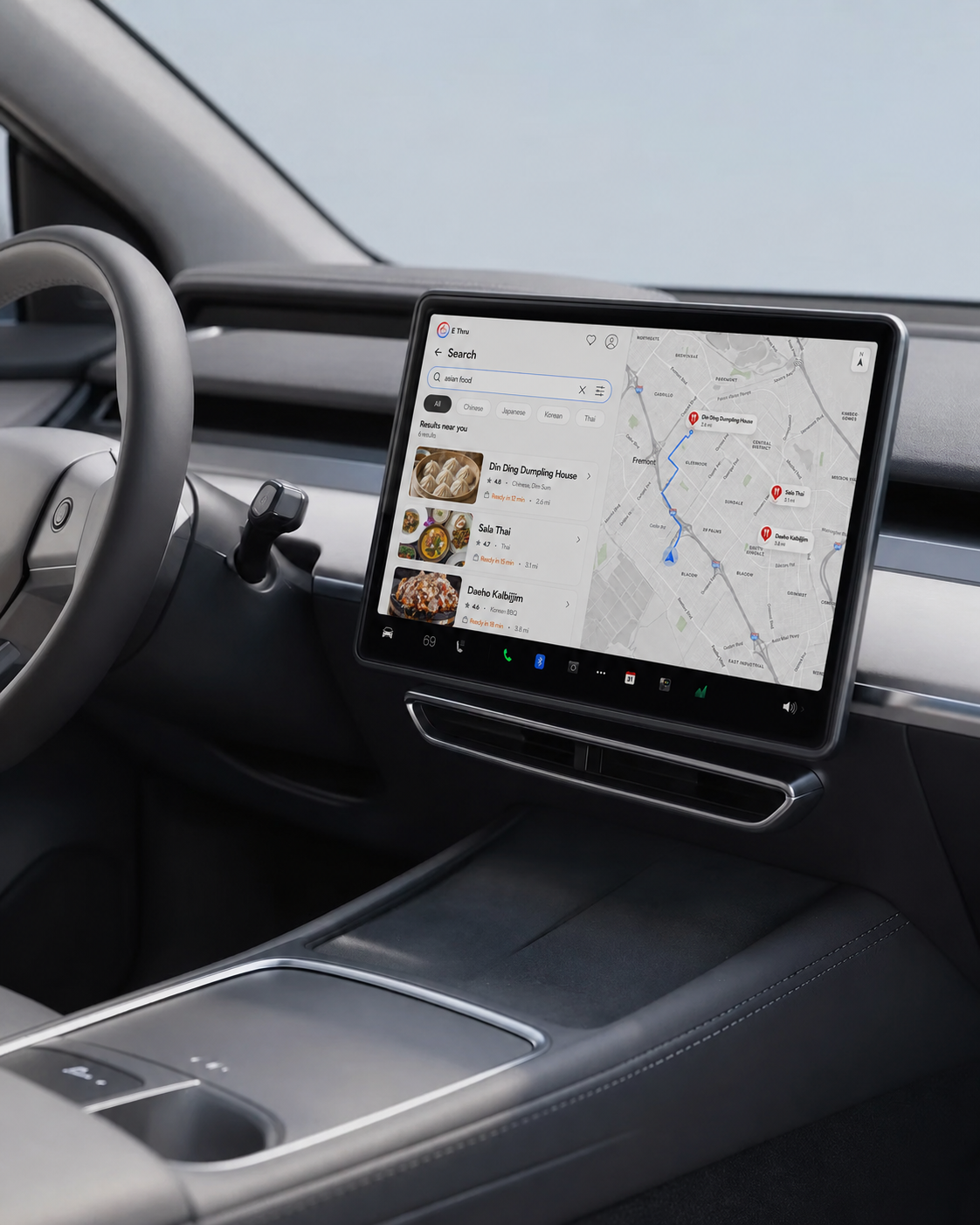
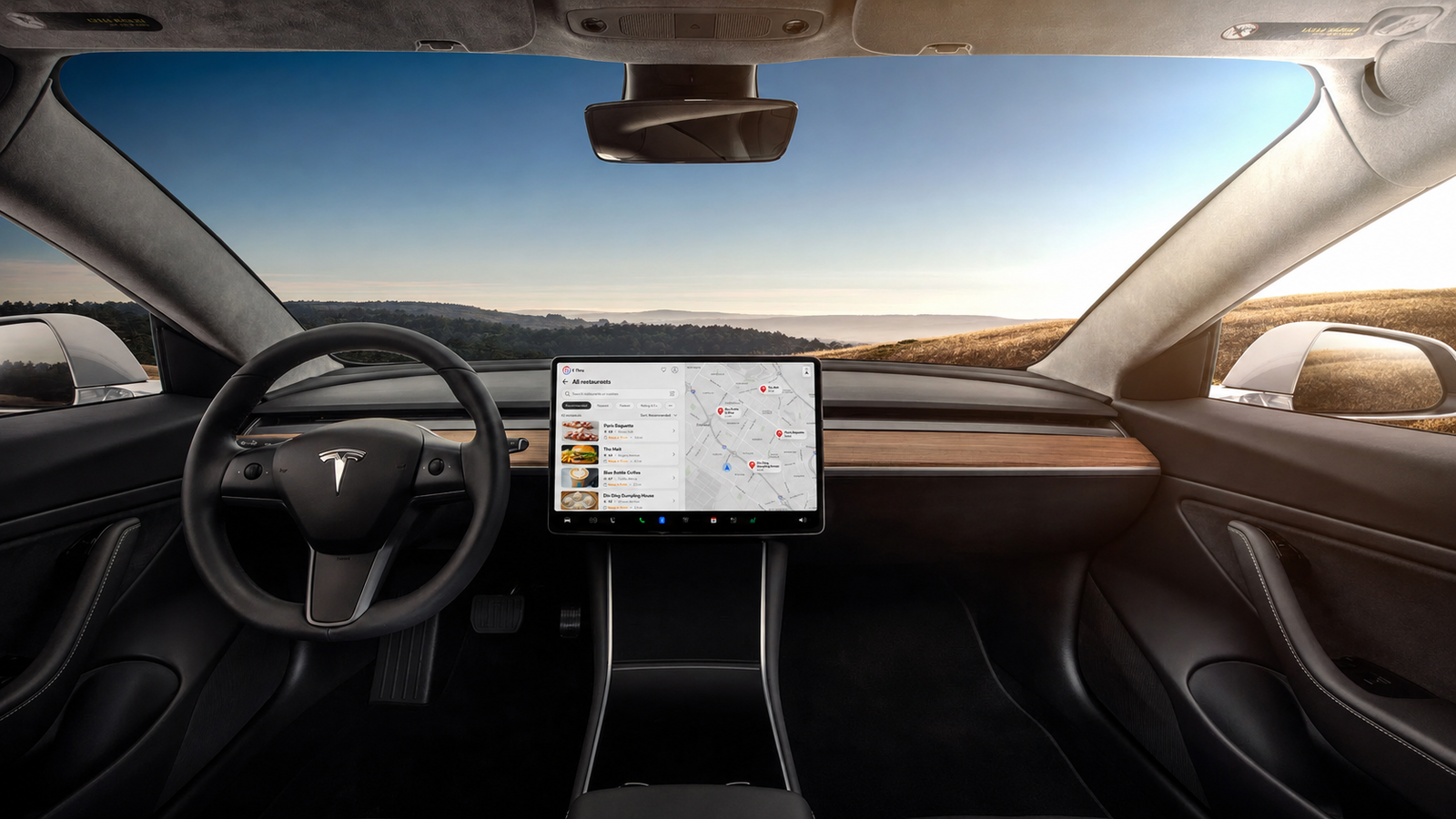
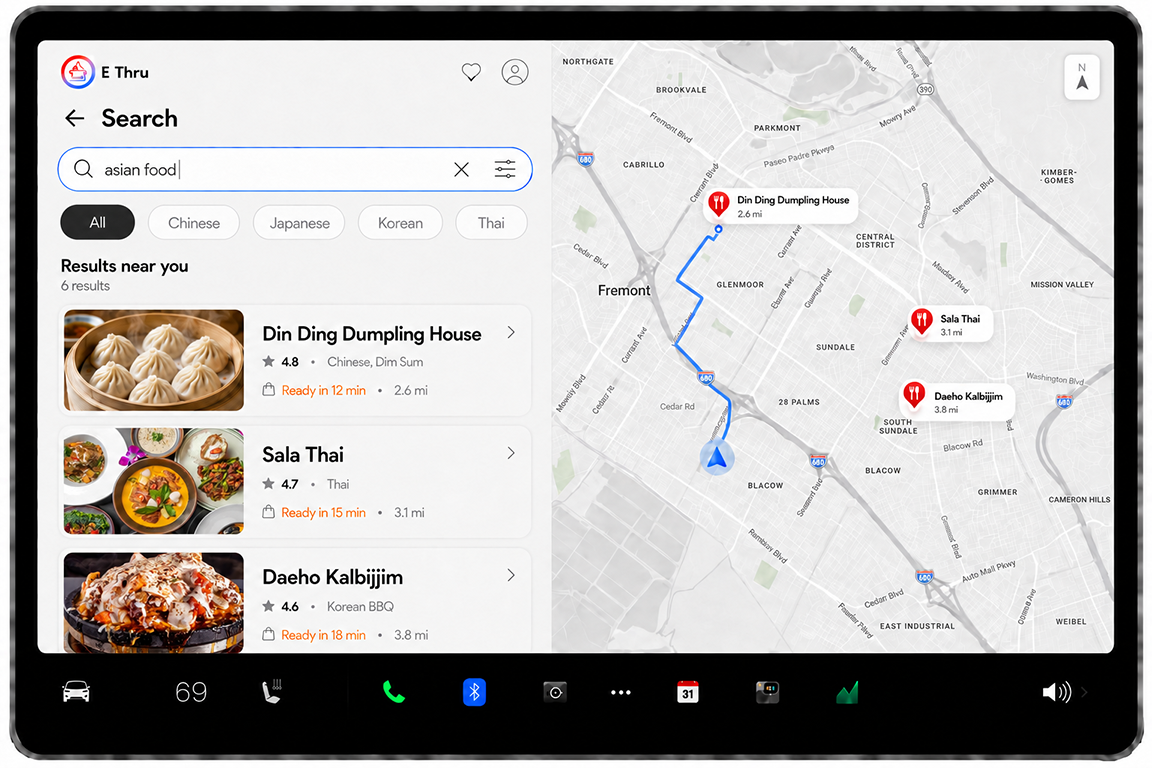
Search by cuisine and explore nearby restaurants directly from the vehicle display. Clear filters, preparation times, ratings, and distances help drivers compare options quickly.
EASY ORDERING
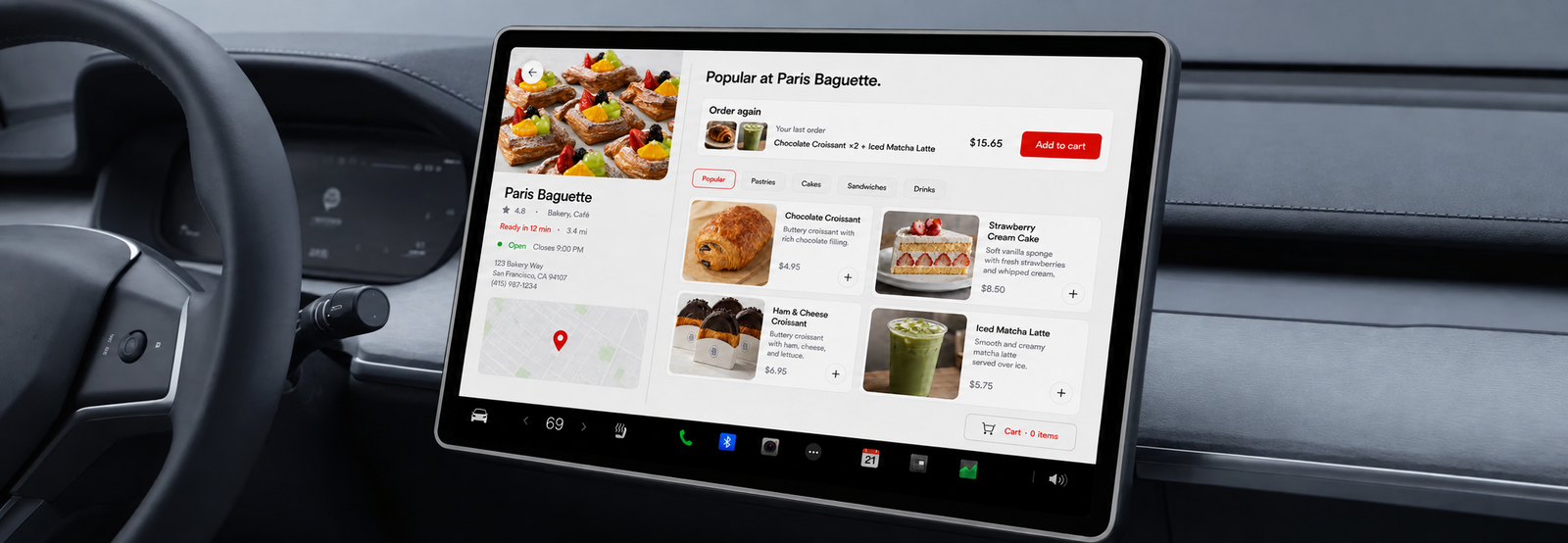
Browse menus, reorder favorite items, manage the cart, and complete checkout through one connected interface designed for the car screen.
TIMED NAVIGATION
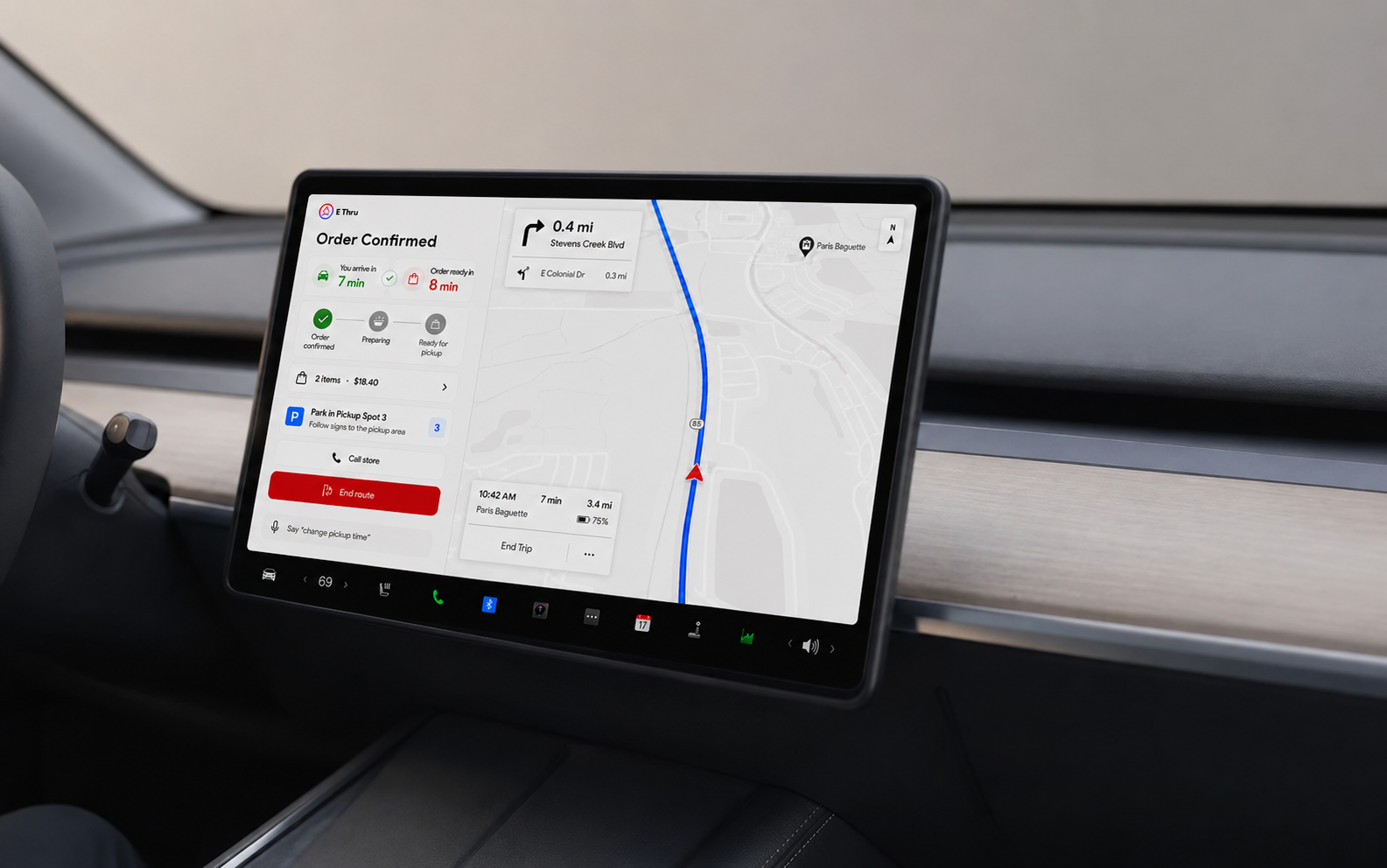
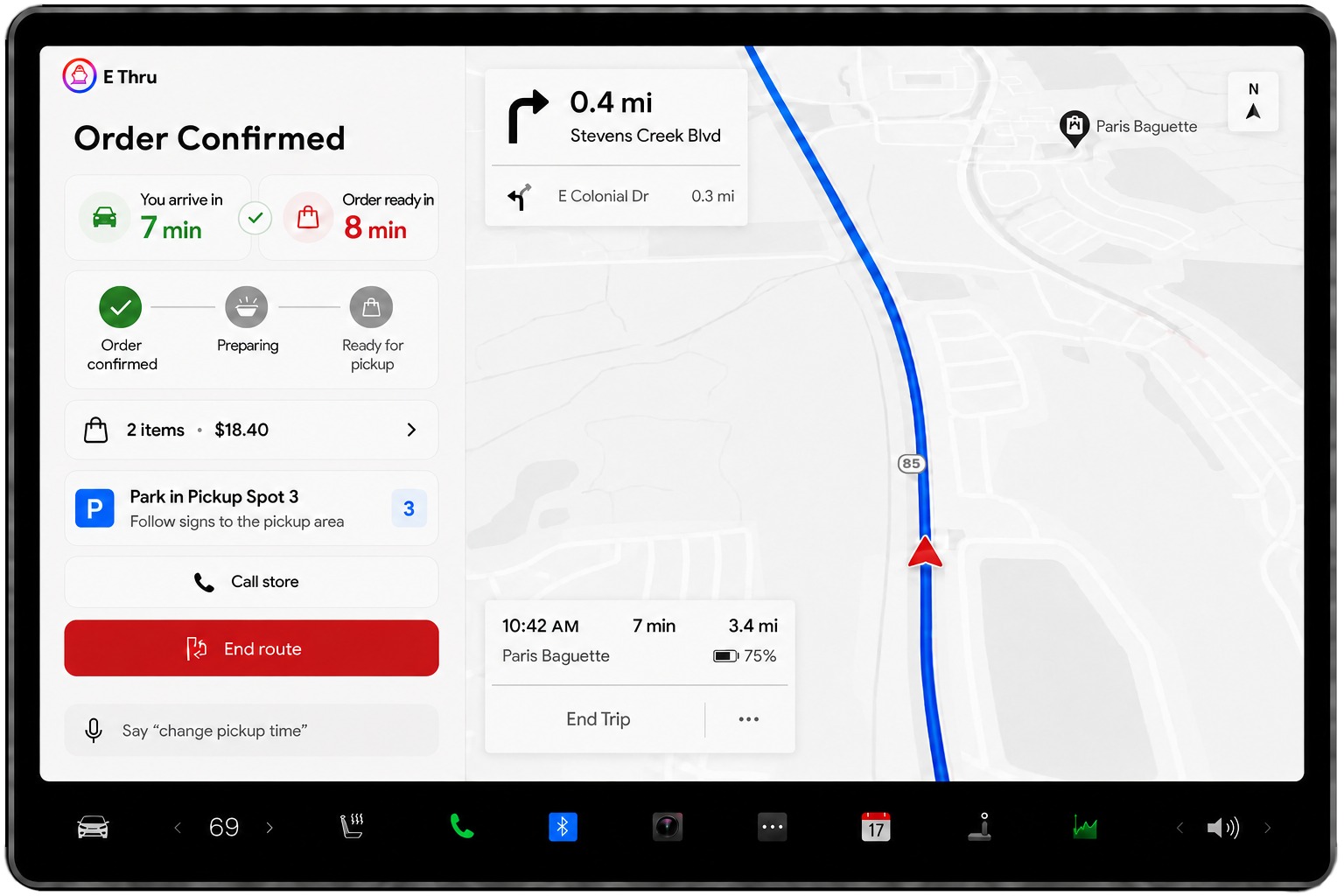
After the order is placed, E‑Thru combines live preparation updates with arrival estimates and turn-by-turn directions to the restaurant.
CURBSIDE PICKUP
Follow the navigation to the selected pickup location and park in the assigned pickup spot. The order status and pickup instructions remain visible until the food is ready.
INTEGRATED CAR-TO-CURBSIDE ORDERING SYSTEM
E-Thru is a technical marketplace app engineered specifically for car screens. By bridging the gap between drivers and restaurants, we enable seamless food browsing, secure payment, and precise navigation to pick-up locations—all controlled directly from your vehicle’s dashboard.
Project Idea
E‑Thru is an in-car food ordering app that lets drivers find nearby restaurants, place orders, E‑Thru is an in-car food ordering app that lets drivers easily find nearby restaurants, place an order, and navigate directly to the pickup location—all from the vehicle’s screen. Its split-screen layout combines ordering and navigation, while live preparation and arrival updates help drivers reach the restaurant when their food is ready.
My Role: User research, User Flow, Site Map, Wireframing, Prototyping, UI design
Tools: Figma, Photoshop, Illustrator
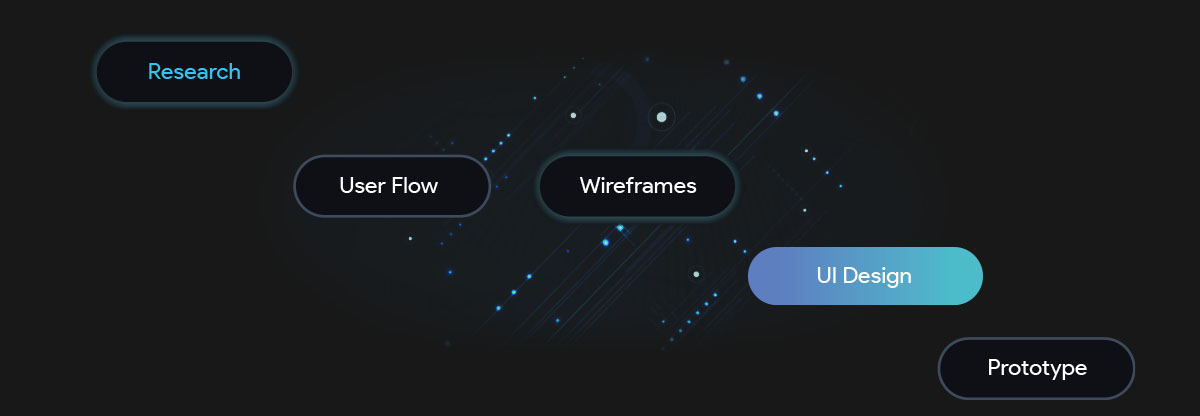
The Process of E Thru’s Product Design
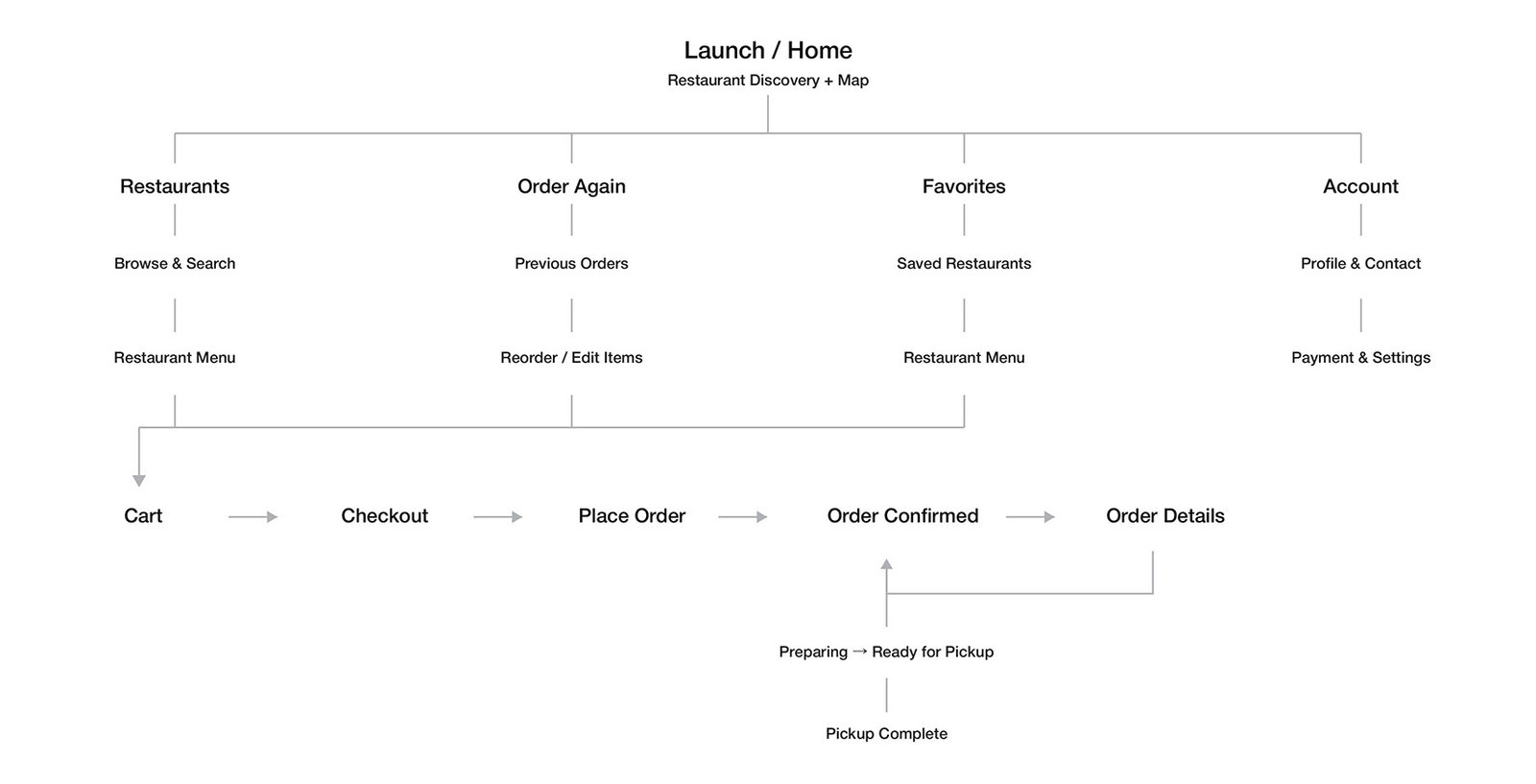
Site map
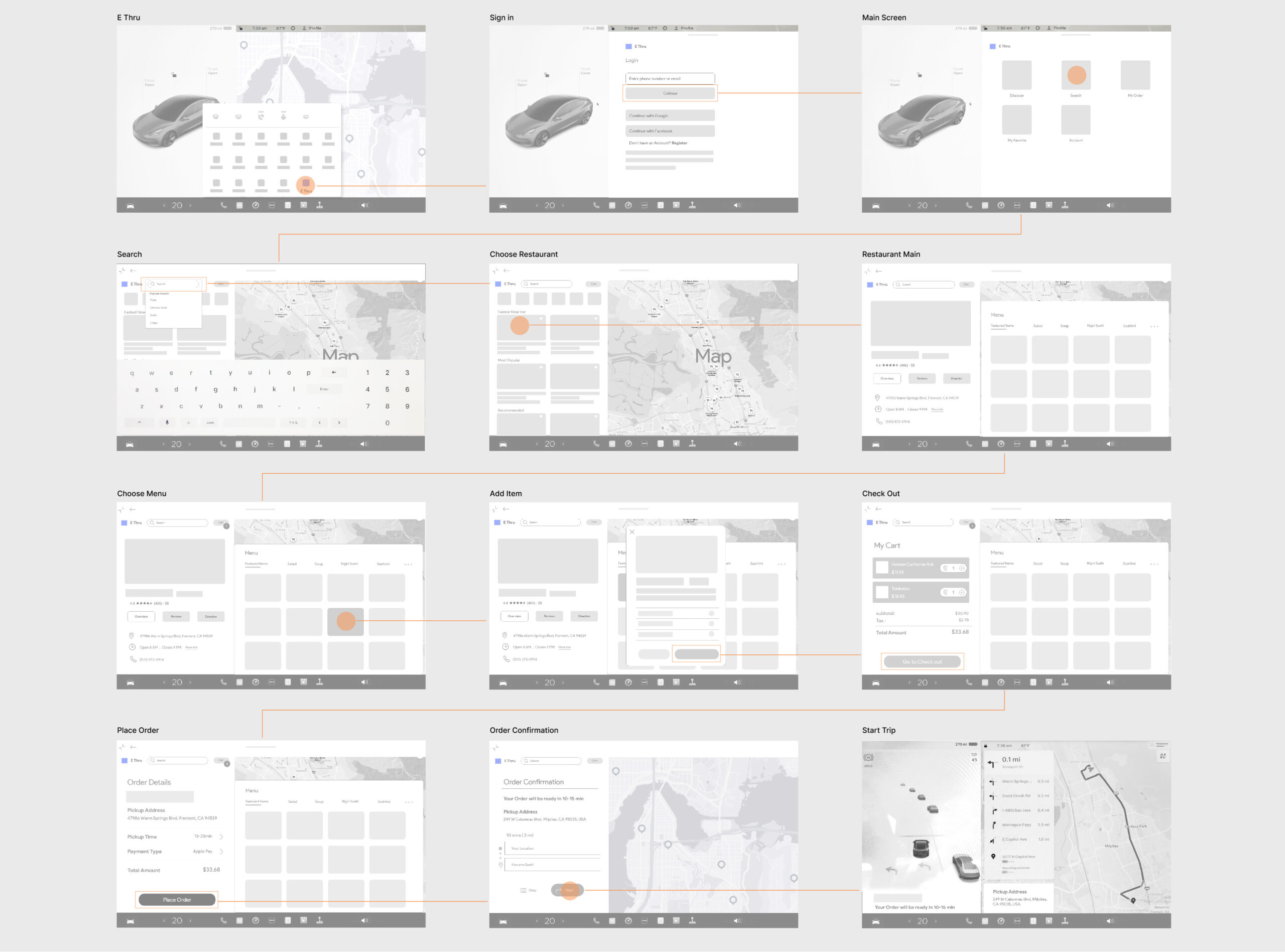
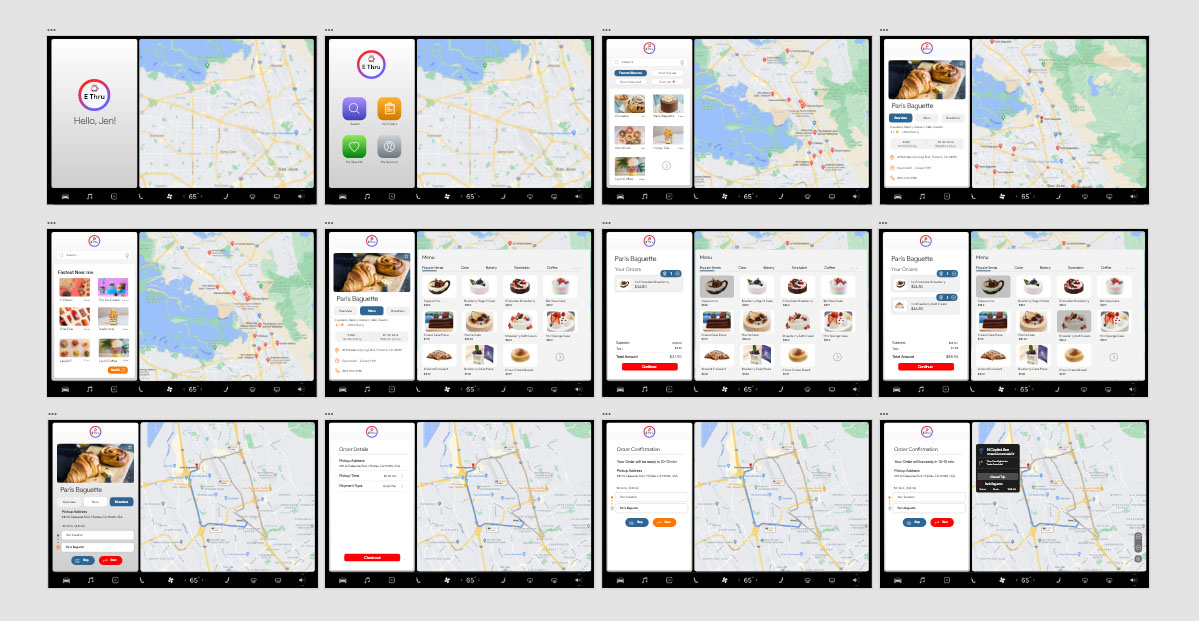
Wireframes Flow
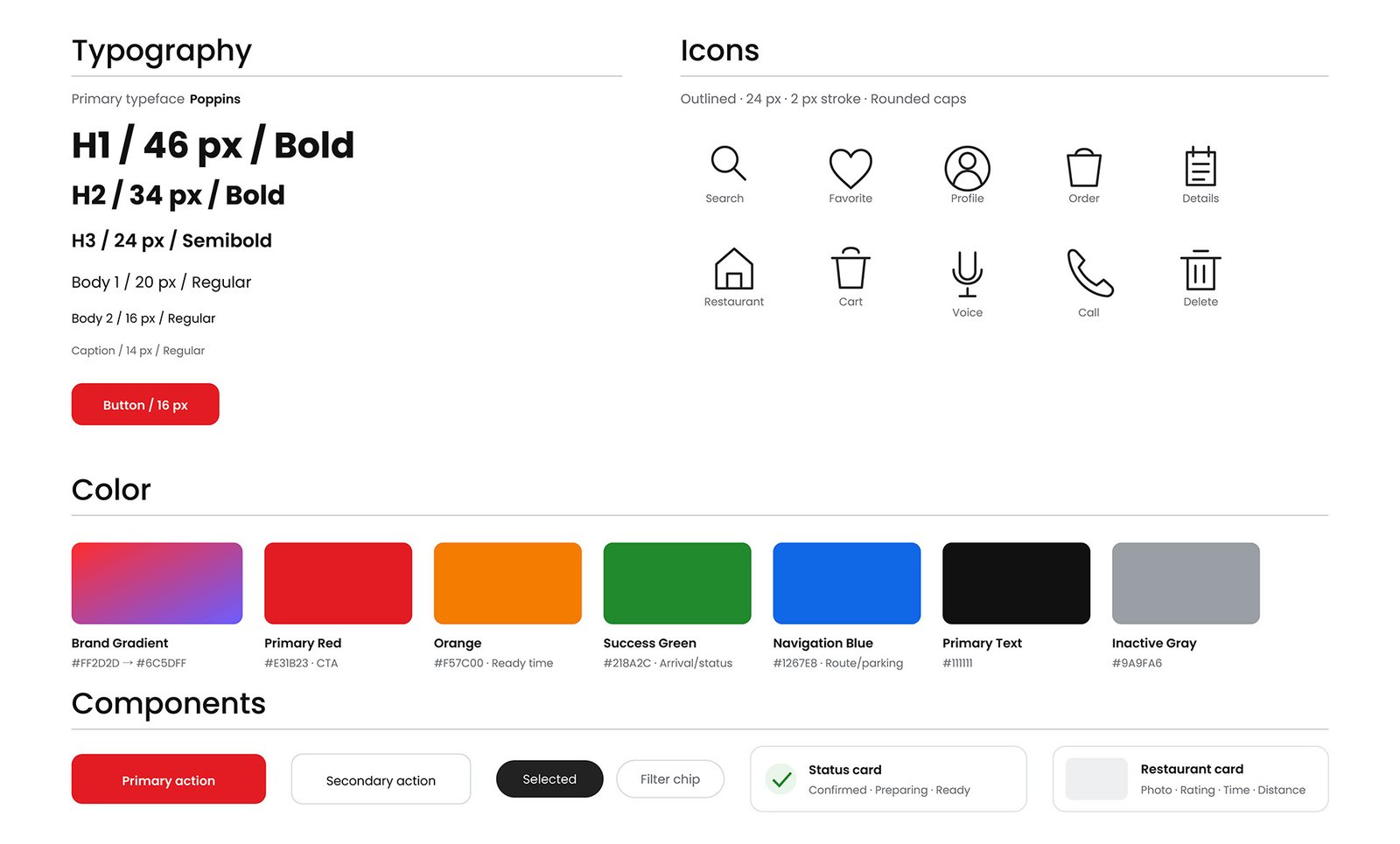
UI Elements
I used red as the primary action color, orange for order-ready information, green for arrival and order status, and blue for navigation and parking elements. The E Thru logo features a red-to-violet gradient that is used exclusively for brand identity. The icons follow a consistent outlined style with rounded strokes, keeping the interface simple, clean, and easy to recognize while driving.
Competitive Advantage
While several restaurant brands offer quick reordering through Apple CarPlay, most experiences are limited to a single restaurant chain. E‑Thru expands this idea into a multi-restaurant platform that connects food discovery, ordering, preparation updates, and pickup navigation in one in-car experience.
Start Screen
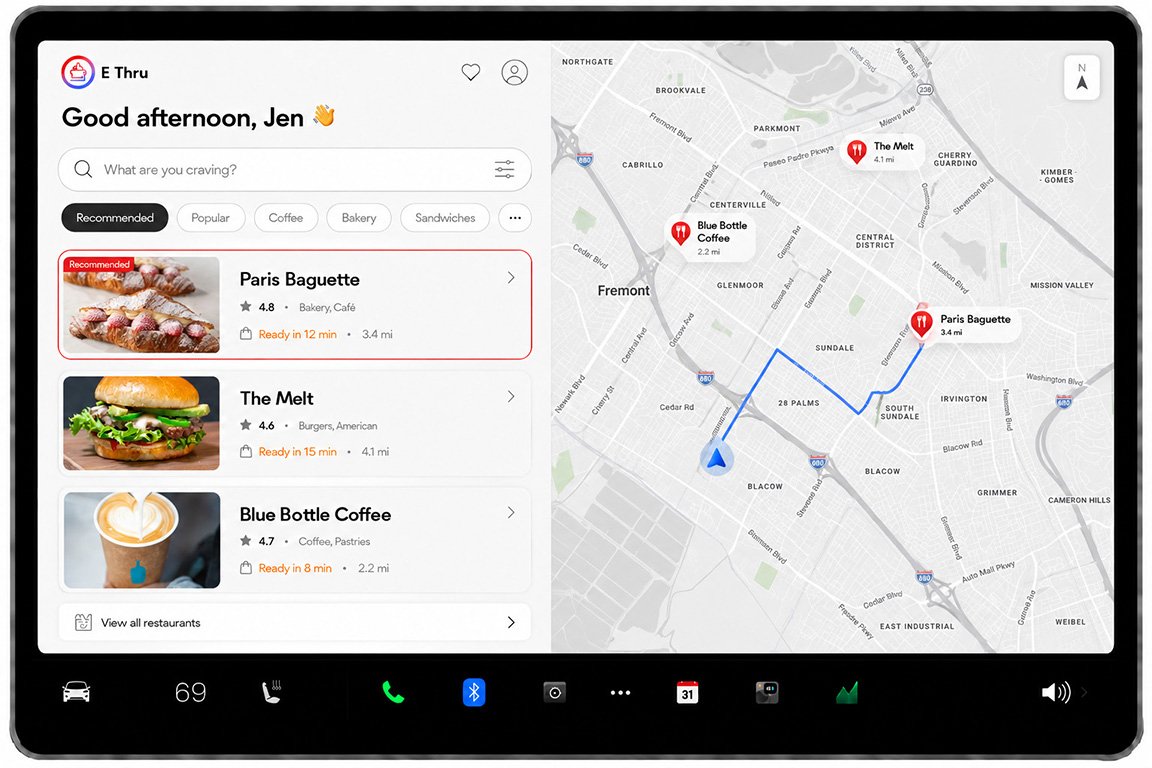
The start screen is designed to be simple and safe for drivers. The split-screen layout lets users find nearby restaurants while keeping the map visible. A large search bar, simple category filters, and clear restaurant cards show important information such as ratings, preparation time, and distance. Large buttons and a clear layout help drivers find information quickly with less distraction.
Search Screen
The search screen helps users quickly find nearby restaurants or specific types of food. Users can enter a keyword and narrow the results by cuisine, such as Chinese, Japanese, Korean, or Thai. Each restaurant card shows a food image, rating, food type, preparation time, and distance. The map also displays each restaurant’s location and the route, helping users compare options and choose a restaurant easily.
Order Process
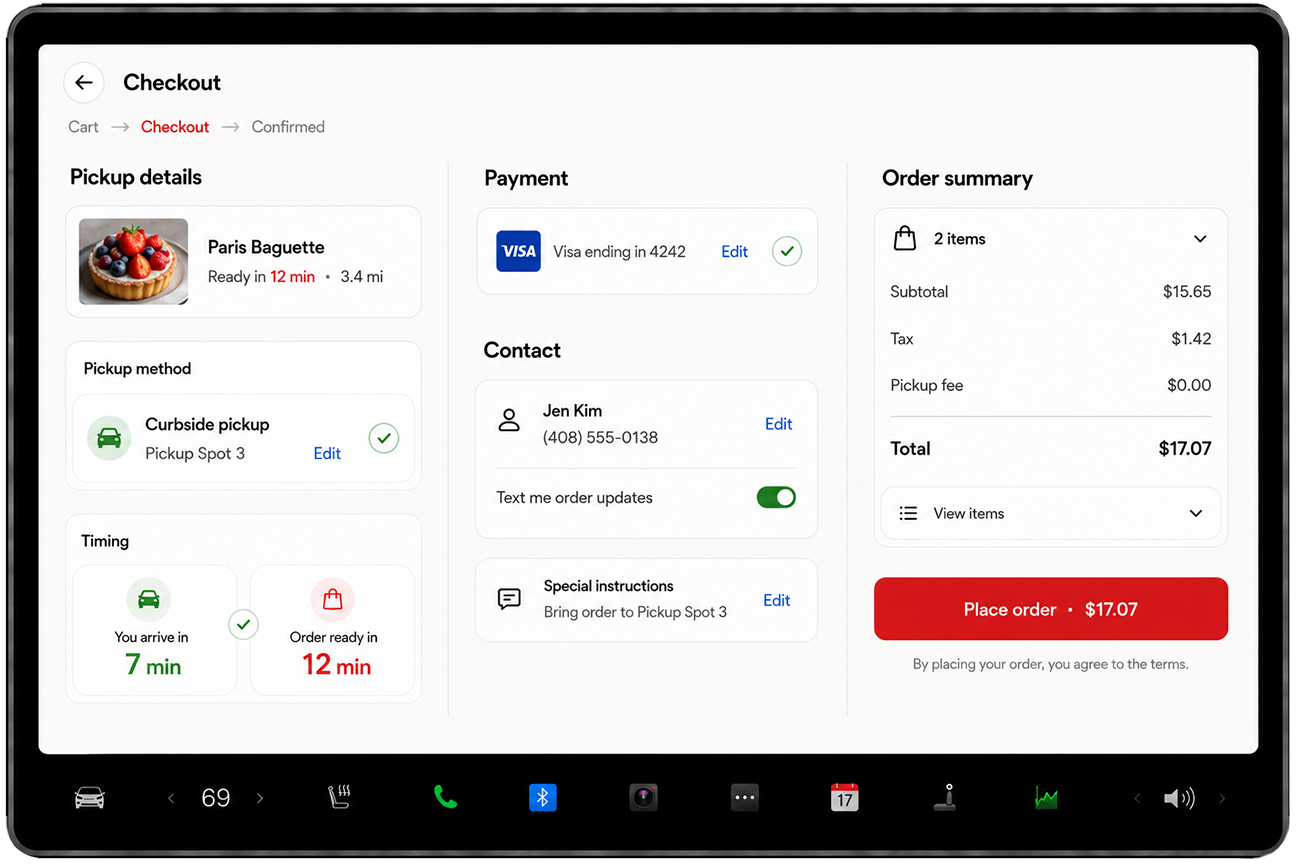
The order process is designed to be simple, clear, and easy to complete on the car screen. Users can browse the menu, review their cart, confirm pickup and payment details, and place an order without using another device. After checkout, the app automatically starts navigation and provides live updates on the order status, arrival time, and pickup location.
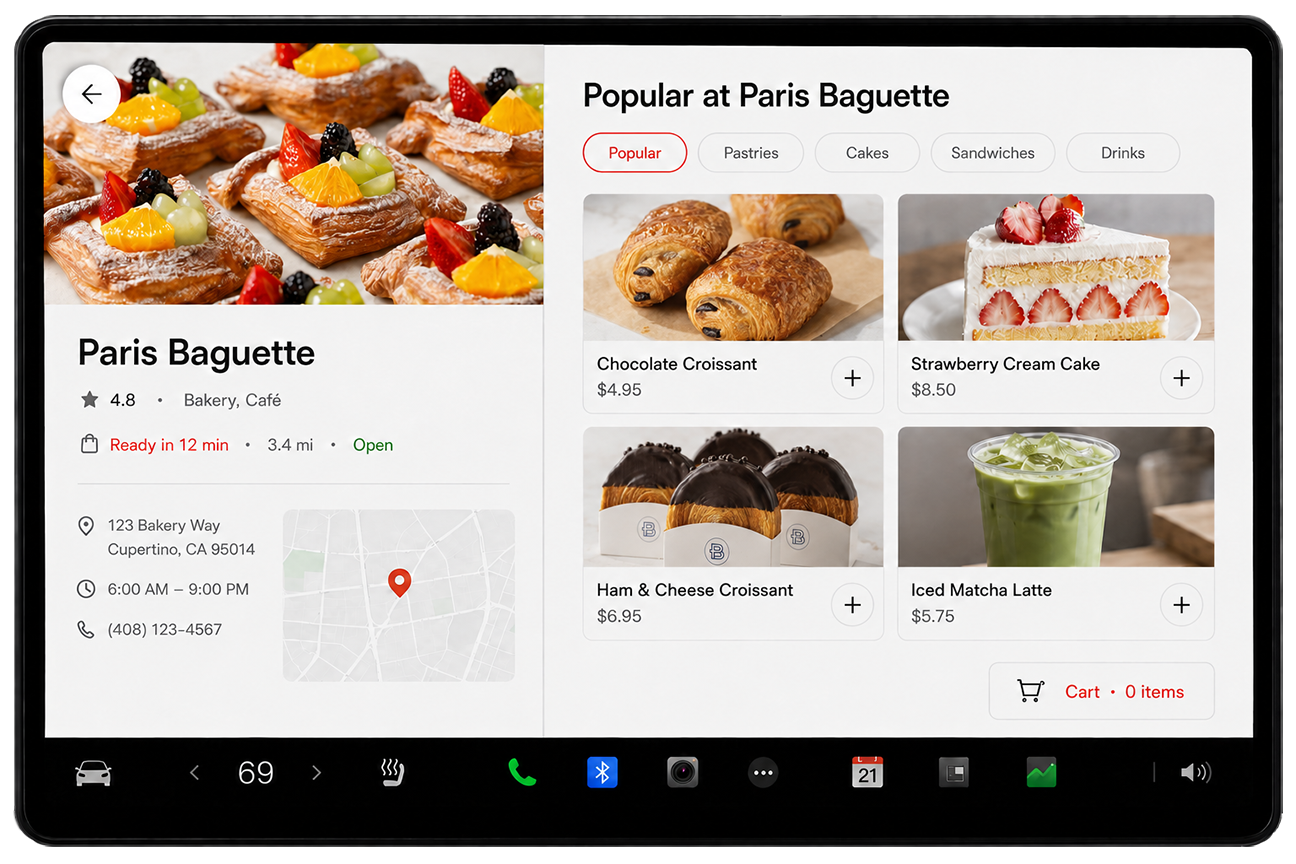
1. Browse the Menu
Users can view restaurant information and browse menu items directly on the car screen. Menu categories make it easy to find different types of food, while clear photos, prices, and add buttons help users select items quickly.
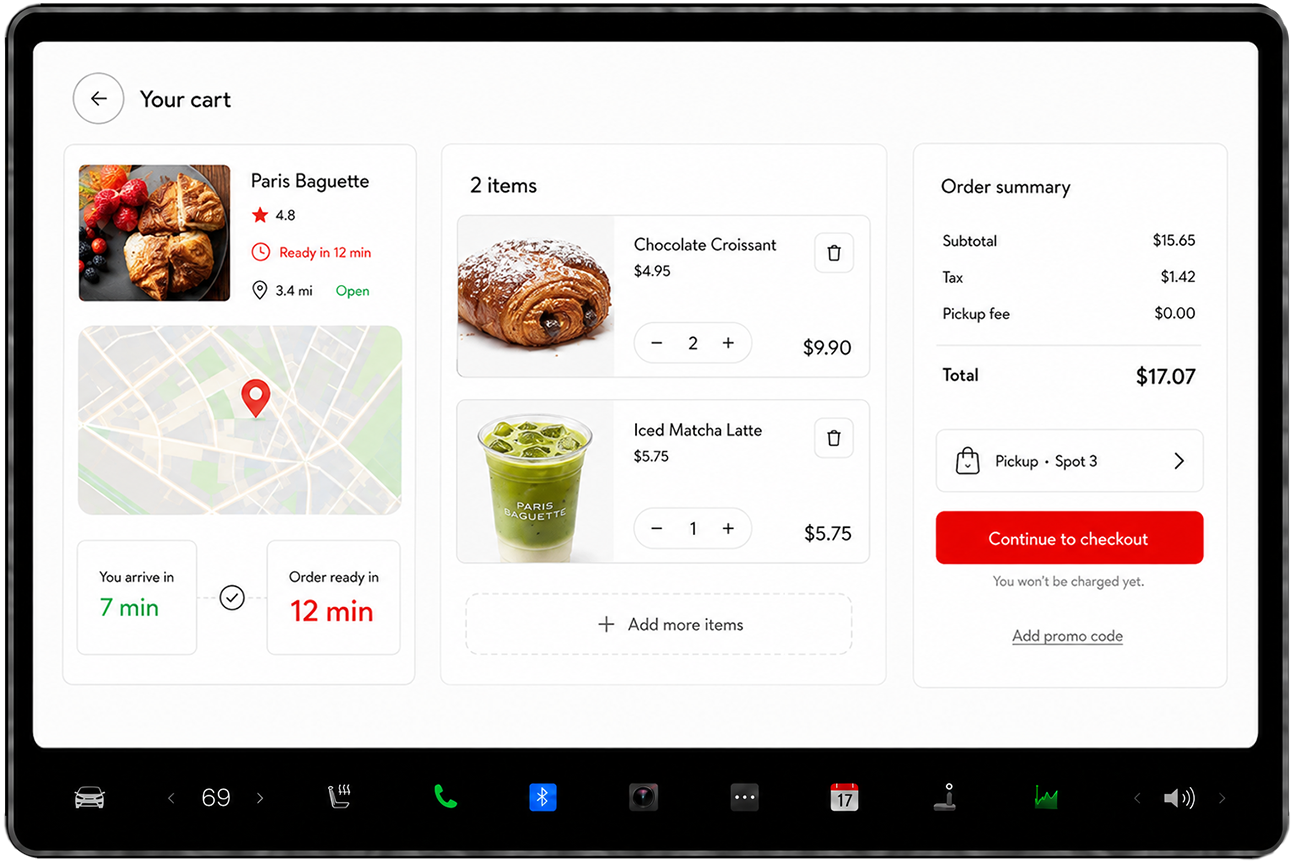
2. Review the Cart
The cart screen allows users to review selected items, change quantities, or remove items before checkout. It also shows the restaurant location, estimated arrival and preparation times, pickup details, and the full order total in one place.
3. Complete Checkout
Users can confirm their pickup method, payment, contact information, and special instructions on a single checkout screen. The app also compares the arrival time with the food preparation time, helping users place the order at the right moment.
4. Track and Navigate
After the order is placed, the app automatically starts navigation to the restaurant and displays live order updates. Users can check the order status, estimated arrival time, pickup location, and parking spot without switching to another app or device.
Key Achievement
Created an in-car experience that lets drivers find nearby restaurants, order food, and navigate to pickup in one place. Unlike most CarPlay food apps that only support quick reordering from one restaurant brand, E‑Thru brings the full pickup journey into one connected platform.